-
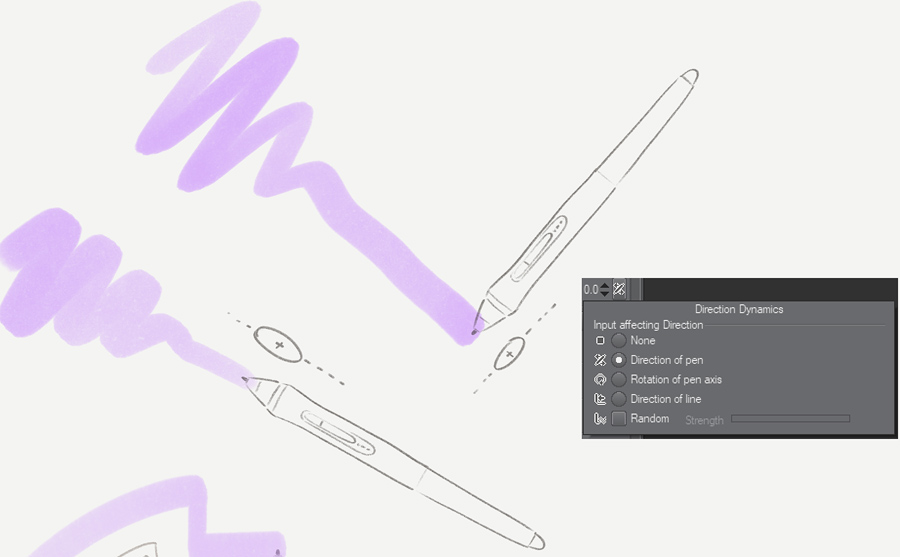 Continue reading →: Clip Studio Paint : Direction of Pen
In Clip Studio Paint, brushes have a “Direction” setting. This determines the rotation of the brush shape when it’s painted onto the canvas. The direction of a brush can have dynamics that are based on certain inputs like pen direction, pen rotation or direction of line. This post describes how…
-
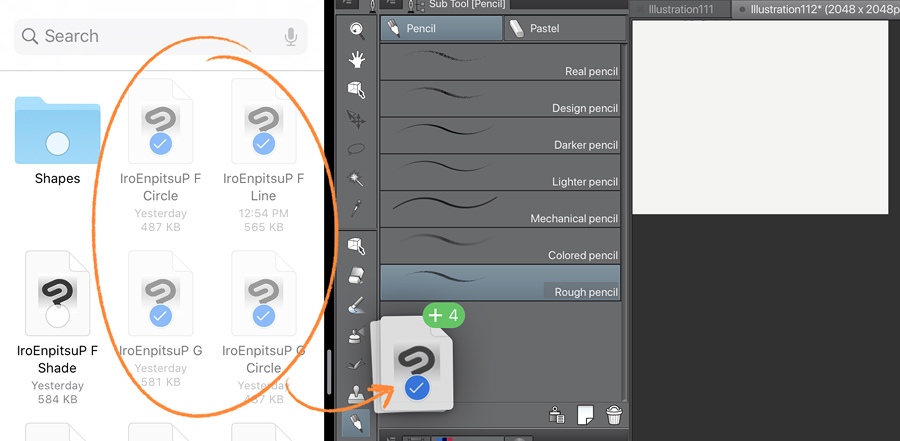 Continue reading →: A quick way to install custom brushes in Clip Studio Paint
You usually download multiple brushes in a pack, so you’ll want to install multiple of them at once. The fastest way to install multiple brushes is to select them in your file manager, and drag them into Clip Studio Paint’s [Sub Tool] palette.
-
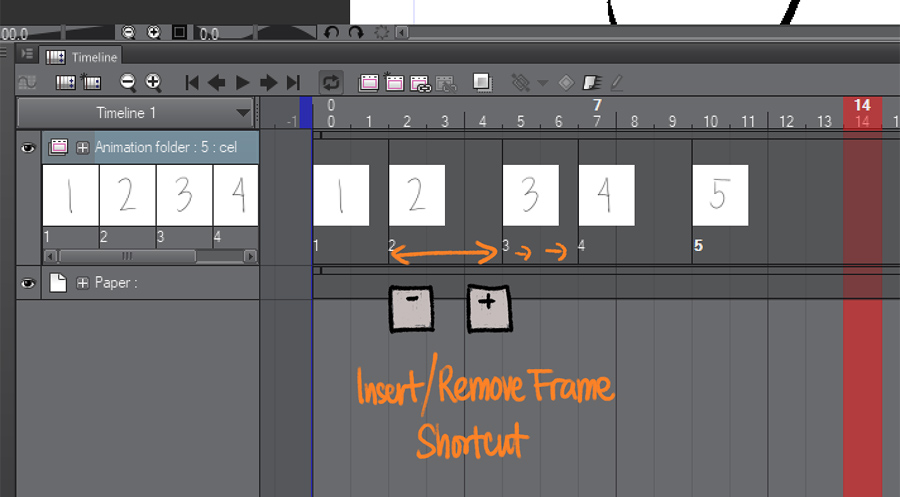 Continue reading →: How to Insert/Remove Frames in Clip Studio Paint 1.9.1 using shortcuts!
Greetings, fellow animators! An introduction: I wrote about this new, minor but game-changing menu item and that it really excited me. I thought it was important enough to make a post just for how to set up Auto-Actions and shortcuts to really make use of it well! What is this…
I’m
Pharan

Welcome. This is my blog where I write about art and tech stuff. It’s usually some tips and tricks about Clip Studio Paint but I’ll occasionally have some Blender stuff in there.
I make brushes for Clip Studio Paint. I also make a few other art- and animation-related tools.
Links
announcements blender clip studio paint clip studio paint tips clip studio paint update colors how to iPad krita photoshop prerelease software Project Gemini software releases Wacom wacom drivers


 Pharan Art and Tech