Clip Studio Paint is a powerful and feature-rich illustration and animation program. But as much thoughtful development has been put into it, there are some things I wish it could do.
General
- Eyedropper color preview around the cursor now shows Studio mode. (Implemented 3.0, 2024)
Overlay color picker color over the cursor in desktop mode (like Photoshop), like it already does on tablet mode. - You can bind shortcuts to brush blend modes. This is under Options>Tool property palette>Ink>Blending mode (Doable in 3.0, 2024)
Allow keyboard shortcuts for changing brush blend mode. (Multiply, Normal, Compare Density, etc) - Color Mixing palette was added. Personally, I guess this didn’t pan out to be as useful as I thought, but I do see some people use it. (Implemented in 2.x, 2023)
A manual color-mixing palette where you can brush colors into each other (like Painter/SAI) - “Create Layer Below” menu item so it can be added as a button or shortcut. (workaround: you can record this as an Auto-Action.)
- Color picker now live updates on a bunch of things: Layer Color (the layer tint thing), Fill layers, Gradient layers, Paper layer, maybe some others I couldn’t find. (Implemented 4.0, Mar 2025)
Live-update when you pick colors for the [Layer color] layer effect. - Brush search bar was added to the Quick Access menu.(3.2, 2024) It also searches other functions in any of the menus. The search filtering is a bit naive (isn’t case insensitive. doesn’t prioritize full matches)
- [Outer glow] layer effect (with at least Photoshop-level control)
- Make the [Smoothing] filter a layer effect.
- Textured layer effect, where you can mix colors while keeping the texture intact, without having to do a clipping setup every time. Texture density can be based on an opacity curve.
- Layer effect where you can change the color based on layer transparency. Maybe Hue, Saturation, Luminosity curve based on layer transparency.
- This is to allow natural looking painting colors, and have less dull looking transitions when painting hues over other hues that are far from each other in the color wheel. Normally, without this, color transitions look very dead and have to be adjusted and blended manually every time.
- Use [Compare density] mode to overlap a selection that you moved. For editing pencil, watercolor and other semitransparent illustrations.
- Overlay text/tooltip when you change certain settings: zoom in or out, change brush size via shortcut, show subtool name when you change subtools
- Allow [Window]>[Canvas]>[New Window] to open a new floating or window by default instead of a tabbed one. This is useful for when you need a secondary zoomed-out or flipped view of your canvas.
- More than one Quick Access window/popup. Multiple customizable palettes and bars as needed.
- True Fullscreen, which also hides the Windows taskbar. (like Photoshop) And keyboard shortcut for toggle. This is immensely useful for small tablets.
- Tiled editing mode (like Krita) for making repeating textures for artworks, games, designs, etc.
Timelapse. Save frames of your project every x seconds. Export as 1080p video, for sharing online. (like Procreate)Timelapse was released in 1.10.5 (Dec 2020)
Brush Stuff
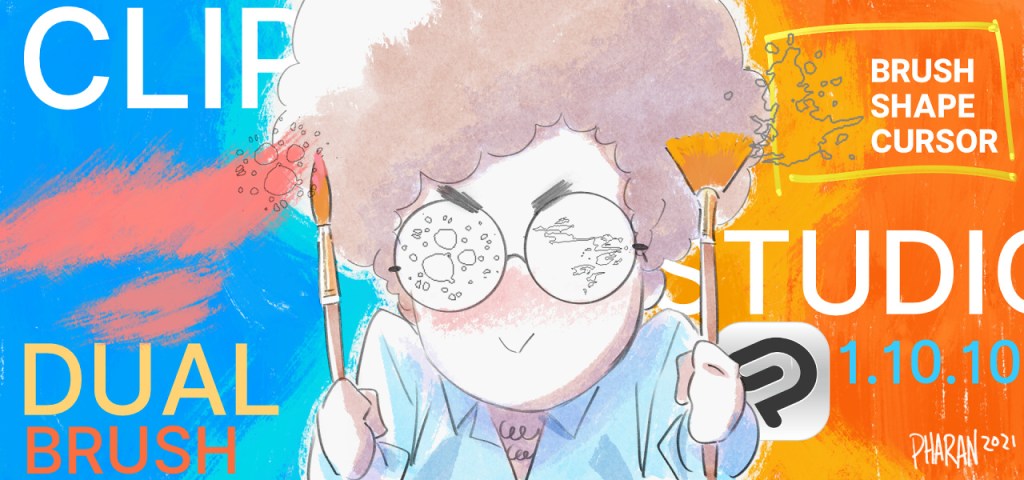
- The cursor shape update shows the angle of the brush in the brush cursor. (Implemented in 1.10.10, May 2021)
Brush cursor angle should live-update based on pen angle. - You can now bind brush tip rotation to keyboard shortcuts. You can find this under Options>Tool property palette>Brush Tip>Rotate clockwise/counterclockwise. (3.0, 2024)
Rotate brush angle via keyboard modifier, similar to brush resize - Clip Studio Paint now supports Dual Brushes. (1.10.10, part of the dual brush update, May 2021)
Dual Texture/Dual Brush like Photoshop, but better - [Random] dynamics PER STROKE instead of per plot. For example, random angle every time you draw a stroke for more organic looking tools. Random color per stroke was added in 1.10.5 (Dec 2020)
- Brush center offset. For making the tip of the brush be at the edge of its shape instead of always in the middle. Allow this to make the brush cursor preview off-center too. For example pencils with tilt shading, or calligraphy pens or calligraphy ink brushes.
- The workaround for this is currently to make a brush that has a lot of empty space, which means you need to use tricks to increase its size to match the preview too,
and the brush preview is still centered too. Bad experience for the brush designer. The larger brush tip shape also means the brush gets much slower even when the brush isn’t that big so this a bad experience for the brush user as well.
- The workaround for this is currently to make a brush that has a lot of empty space, which means you need to use tricks to increase its size to match the preview too,
- Multiplier of tilt sensitivity. Something easily adjustable in case user uses a different pen with different ideal tilt points. (thick Wacom pen has shallower tilt, thin Apple pencil has deeper tilt. It’s too difficult to have to adjust every curve on every per brush to compensate.)
- Alternate stabilization mode closer to SAI, for better, easier curves. Slower stabilization mode, stabilization options (like Paint Tool SAI)
- Add a large stabilizer slider, maybe to the large Tool Sliders palette.
- Retain momentum when tapering after lifting the pen. (like LNP, SAI)
- Current smoothing/taper causes a straight line at the end of the stroke that ignores smoothing when you lift then pen.
- Allow round brush hardness to respond to pen pressure. (like SAI)
- Reverse [Velocity] curve. Instead of decreasing as your stroke goes faster, parameter should be allowed to increase. For example, increasing texture density as your stroke is faster so the texture is more visible as you draw quicker.
- Separate color mixing density from texture response brush density. Currently, both share the same parameter called [Brush density].
- Streamlined brush designer:
- Easily edit and update brush shape. Easily edit and update brush texture. Texture brightness and contrast was added in 1.10.5 (Dec 2020)
- Draw strokes on a test canvas and changing the sliders automatically changes what the strokes look like.
- Copy and paste brush settings, especially curves, from one brush to another.
- Copy and paste curves in text form.
Tools
- Make fill tool/paint bucket adjustable after the fact before committing. Adjust [Close gap] and [Area scaling] and maybe [Color margin] and have a live preview. (similar to Procreate)
Vector Stuff
- Vector fills
- Vector gradient shapes (like SPA Studios, Klaus)
- Define an inner shape and outer shape, where the inner shape fades into the outer shape. This lets you control soft and hard edges within a single shape.

- Draw smooth ruler that approximates smooth arc
- Paste SVG text as a shape.
Animation
- visible, clickable, draggable insert/remove frame handles (like TVPaint)
- or just make it generally easier and more streamlined to reorder frames and change timing.
- visible/draggable onion skin range (like Flash)
- Press and release a key to preview animation back and forth
- Visible, editable motion path for keyframed layers. (sorta similar to AE, or Flash motion tween)
- More performant scrubbing. Currently, scrubbing the timeline is a little jittery and skips frames and it’s hard to use that as for animation/flipping preview. (Eventually, this is will be outdated since a new Ryzen 9000 series CPU seems to handle it just fine. But it would be good if this could be made more efficient to reduce the system requirements.)
Formats
Export GIF with transparency(added in one of the 2.x releases, 2023)- Export GIFs with preview and settings so you don’t have to repeatedly export it to check results eg, if the dithering looks weird or there’s too much banding.
Open WebP, Save as WebP(Added in 3.0, 2024)- Open GIFs with the timeline intact.
Open short movies as canvas with timeline.(Added in 4.0, Mar 2025)
Pipe Dream
- Even faster brush engine. It starts to chug when you start using large brushes with textures.
- High bitdepth/HDR painting with a custom SDR tone curve and bloom


 Pharan Art and Tech